



















Bulk Certificate Generator from a Canva Template
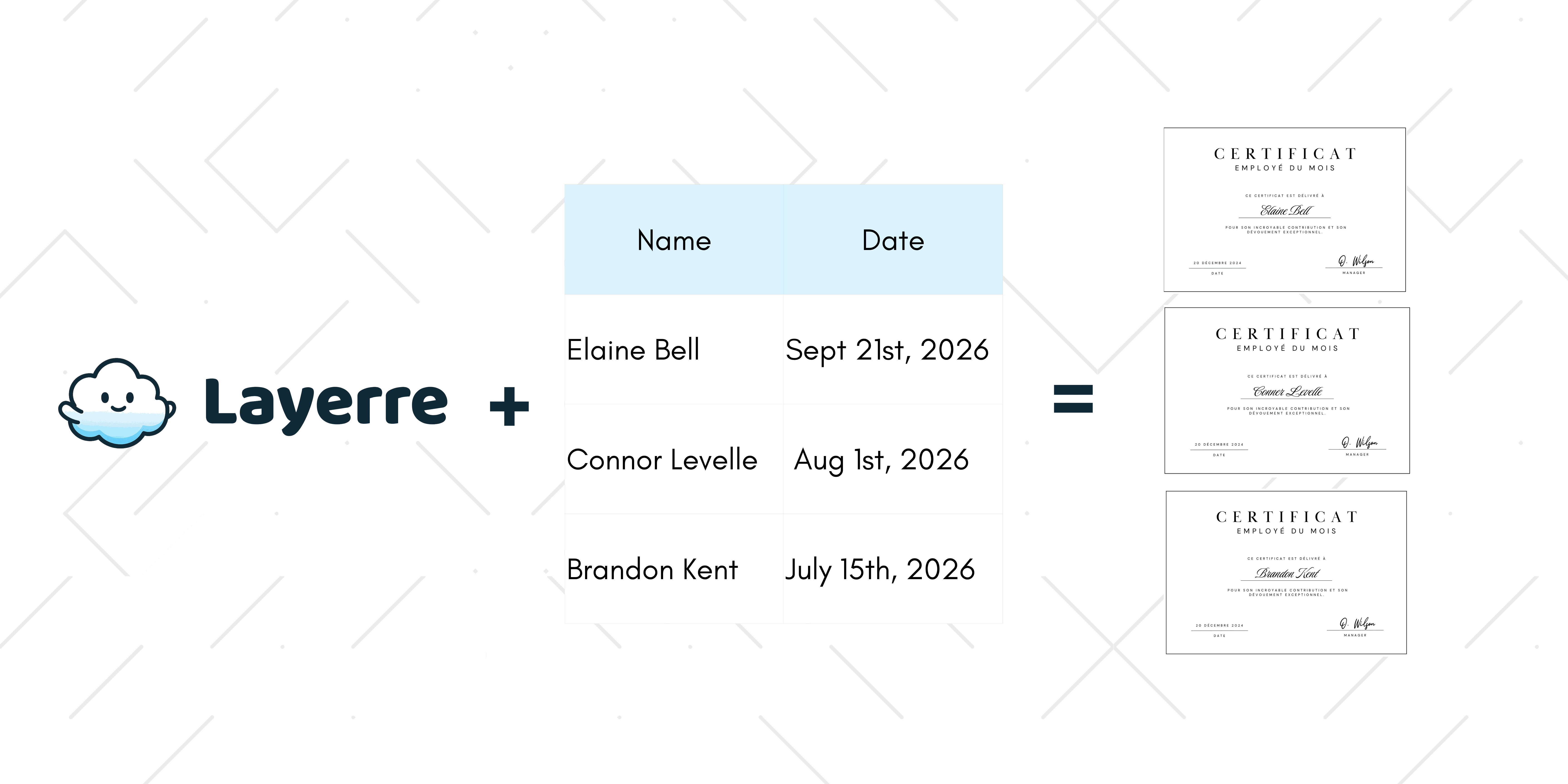
The certificate is done. It looks like the one you wanted. Then the class finishes, or the event check-in closes, and you are staring at a spreadsheet of names that still have to be typed onto that design one at a time.
One award tonight is a job for Canva or Adobe Express. A list is a generator. Design the certificate once, keep it in Canva, and produce a PDF or image per row. Layerre does that from the share link, from a sheet, the API, Zapier, Make, or n8n. You do not need Canva Enterprise. Free is 50 credits. Starter is $15 a month for 500.
Who each certificate tool is for
| Tool | Best for | Bulk from a sheet |
|---|---|---|
| Canva Certificate Maker | One designed certificate, or Bulk Create on Pro+ | Yes, inside the editor. No API. |
| Adobe Express | A single free certificate design | Not the point of the tool |
| Certifier / Certify'em | Course certificates plus email delivery | Yes, including Google Forms |
| Bannerbear / Orshot / CraftMyPDF | API or form-fill PDFs from their editors | Yes, after you rebuild the layout |
| Layerre | The certificate you already designed in Canva | Sheet, API, Zapier, Make, or n8n |
This page is for course completions, event attendance, and internal awards. Diplomas, licenses, and anything meant to look like an official credential need the issuer's own system.
The split is the design source. Canva and Adobe are where people already draw the certificate. Certifier and Certify'em add delivery around their own certificate product. Bannerbear, Orshot, and CraftMyPDF generate in bulk after you rebuild the layout in their editor. Layerre keeps the Canva file and fills it.
When is a bulk generator the right tool?
One award tonight is a free certificate maker. A list is a generator. You will know you have crossed the line when someone says "just duplicate the page" and the spreadsheet already has a header row.
- A course cohort finishes and every learner needs the same layout with a different name and date.
- A conference wants an attendance certificate for registrants, and a second pass for speakers that adds a role.
- An internal awards run happens every month. The seal stays. The name and the award title change.
- A form or LMS already has the names. Copying them into Canva by hand is the work you are trying to stop.
How do you generate certificates in bulk?
- Design the certificate in Canva. Leave separate text boxes for name, course or event, and date. Layout notes are on certificate templates you can fill in bulk.
- Put one person per row in Google Sheets or Excel: name, detail, date. Write the date the way it should print.
- Paste the Canva share link into Layerre and map each column to a text layer. Generate the first row and read it before you run the list.
- Generate the rest. Download images or PDFs, or send each file from Zapier, Make, or n8n when a new row appears.
A 40-person workshop is the usual first run. Columns are name, session, and date. The session and date are the same on every row. The name is not. Fifty free credits cover that list with a few reprints if a name was spelled wrong.
Short version of the same steps: How to generate certificates in bulk. An attendance-only file is the same sheet with a role or "attended" column.
What about Canva Bulk Create?
Canva Bulk Create is a real mail merge. It ships with Canva Pro, Teams, and Enterprise. You open the certificate, connect a sheet or upload a CSV from the Apps tab, map columns, and download the results in the editor. It is the right tool when a person can sit down, run the batch, and walk away with a zip file.
It has no API, and it does not watch a sheet for new rows. A Zapier action that creates a blank Canva design is a different feature. If the list arrives from a form all week, or you need a URL back on each row, use Layerre on the same Canva file. Steps for the native app: how to mail merge in Canva.
Can you make a certificate online for free?
Yes. Canva and Adobe Express both have free certificate makers for a single download. A free certificate builder is the right tool when you need one award tonight. Switch to bulk generation when the list is a class, a conference, or a monthly awards run.
Layerre's free plan is 50 credits, which is enough to prove the template on a small list. After that, Starter is $15 a month for 500. You are paying for renders, not for a second design tool. See pricing.
How do you get a certificate PDF?
Export the Canva design as PDF for one certificate. For a list, generate each row as a PDF from the same template so names are not typed by hand. PNG is better when the certificate is a preview inside an email. PDF is better when someone will print it or file it.
CraftMyPDF and APITemplate.io are built around PDF APIs if you want to author the layout in their editors. Layerre exports PDF from the Canva file you already have. Sending that file is a separate step: email certificate automation covers the message. The generator stops at the file.