
Design Automation for Real Estate Teams
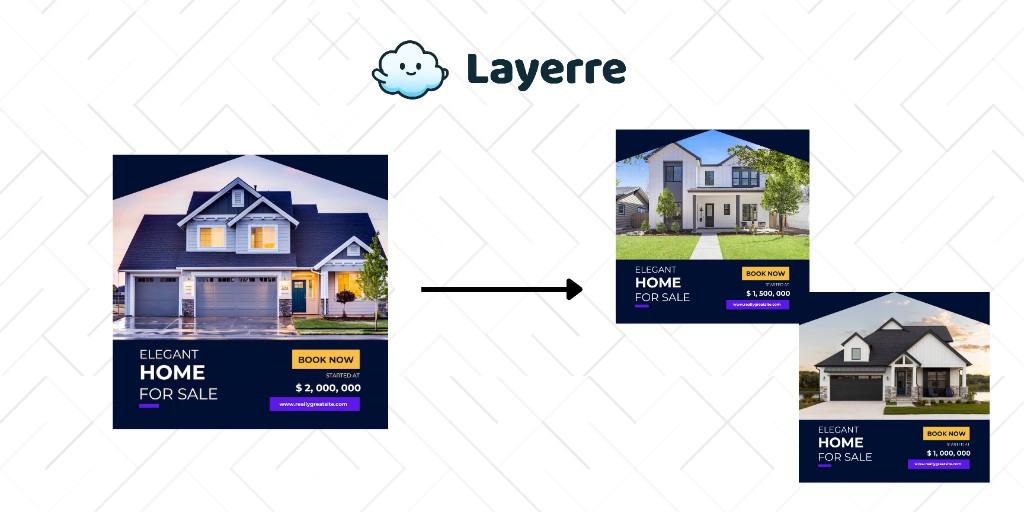
Real estate marketing is visual and repetitive, every listing needs flyers, social posts, and email graphics. Layerre automates the production so agents spend time selling, not designing.
The Problem: Why Real Estate Teams Need Design Automation
- ✕Every new listing needs a flyer, social post, and email graphic, usually created manually
- ✕Agents wait days for the marketing team to produce materials for new listings
- ✕Price changes, status updates (Pending, Sold), and open houses need updated images fast
- ✕Each agent wants their personal branding on materials
- ✕Brokerages manage 50-100+ active listings simultaneously
The Solution
Create listing templates in Canva with fields for property photo, address, price, beds/baths/sqft, and agent info. Import into Layerre. Connect your MLS data or CRM to generate all marketing materials automatically when a listing is created or updated.
Workflows for Real Estate Teams
1. New listing → full marketing package
CRM (new listing) → Make → Layerre (generate listing flyer PDF, Instagram post, Facebook post, email header) → Google Drive (shared agent folder). The agent gets a complete marketing kit within minutes of entering the listing.
2. Status change updates
When a listing status changes (Active → Pending → Sold), regenerate the marketing materials with an updated status badge. "Just Sold" social posts go out automatically.
3. Open house promotion
Agents enter open house date/time in a spreadsheet. Layerre generates promotional graphics for Instagram, Facebook, and email. Scheduled to post 3 days before the open house.
What You Can Generate
- →Per listing: 1 flyer (PDF) + 3 social sizes + 1 email header = 5 images
- →Brokerage with 80 active listings: 400 marketing assets maintained automatically
- →Open house: 20 open houses/month × 3 promo images = 60 images/month
- →Agent profile cards for team pages and email signatures
How to Get Started
- 1Design your templates in Canva. Create one template for each asset type you need. Keep dynamic elements on separate layers.
- 2Import into Layerre. Share your Canva design and paste the link. Layerre reads your layers and makes them available as dynamic fields.
- 3Connect your data. Use the REST API for programmatic generation, or connect Make, Zapier, or n8n for no-code automation.
- 4Generate at scale. Generate hundreds or thousands of design variants from your data. Focus on strategy and quality while production runs automatically.
Related guides
Ready to automate design production?
Import your Canva templates and start generating. Free tier included, no credit card required.